

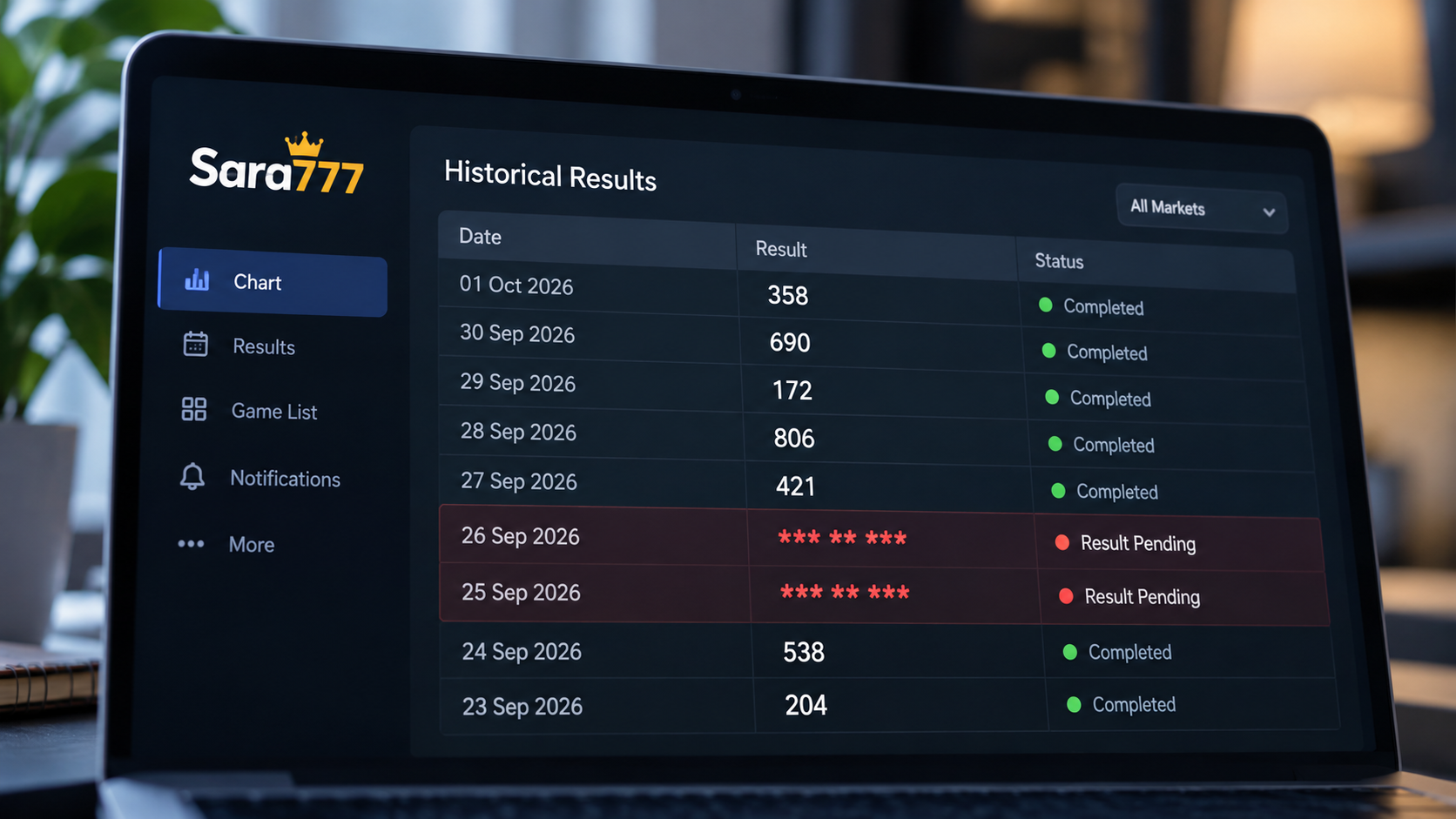
If a Satta Matka chart or Sara777 dashboard displays *** ** *** instead of numbers, it means that the corresponding draw results are not currently available. On a Jodi chart, ** indicates that the two-digit bracket has not yet been declared. On a Panel (Pana) chart, the three-part *** ** *** represents the unavailable Open Pana (3 digits), Jodi (2 digits), and Close Pana (3 digits). Seeing stars does not mean the system has crashed or that numbers are hidden; it reflects the market's real-time draw schedule, scheduled non-operating days, or unrecorded historical dates.
What *** ** *** Means on Satta Matka and Sara777 Charts
When you check live dashboards or scroll through historical archives, every regular market entry follows a fixed numerical framework. A fully declared result contains eight total digits divided into three distinct segments:
- Open Pana (3 digits): The three single-digit cards drawn during the opening round (for example,
149). - Jodi (2 digits): The central bracket combining the single Open Ank and the single Close Ank (for example,
47). - Close Pana (3 digits): The three single-digit cards drawn during the closing round (for example,
269).
When written together, a complete record appears as 149-47-269. Whenever any part of this outcome is missing, unverified, or not yet conducted, the software substitutes an asterisk (*) for every undeclared digit.
Core Rule: Each asterisk represents exactly one missing digit. A three-digit Pana displays as *** when pending. A two-digit Jodi displays as **. A full panel row with neither round declared displays as *** ** ***.
What Each Component of the Placeholder Notation Represents
Understanding how the placeholder is constructed makes it easy to read any market display at a glance:
The First Three Stars (***): Open Pana
The leftmost cluster of three asterisks represents the Open Panel. If the opening round has not been drawn, or if the market has not opened for the day, these three digits remain masked as ***.
The Middle Two Stars (**): Jodi Bracket
The center cluster represents the two-digit Jodi. Because the Jodi requires both the Open sum and the Close sum to be finalized, it cannot be completed until both sessions conclude. Before any round opens, it displays as **.
The Final Three Stars (***): Close Pana
The rightmost cluster represents the Close Panel. Because closing draws happen several hours after the opening round, this section routinely displays *** throughout the afternoon or evening while the market is still active.
Understanding Partial Results: What 149 4* *** Means
One of the most common points of confusion occurs mid-session, when a chart shows numbers on one side and asterisks on the other, such as 149 4* *** on a panel chart or 4* on a Jodi chart.
This is not an error. It indicates a partially declared result:
149is the declared Open Pana.4is the declared Open Single Ank (derived from 1 + 4 + 9 = 14, unit digit 4).*in4*represents the pending Close Single Ank.***represents the pending Close Pana.
Because the market's closing session takes place later in the day, the second half of the draw cannot be shown until its official declaration time. Once the closing round concludes, the record automatically updates to its finished eight-digit state (such as 149-47-269).
The Complete Status Guide: Pending vs. No Draw vs. Historic Gap
The following table outlines every state you will encounter across Sara777 panel charts, Jodi tables, and live market cards:
| Chart Display | Interface Type | Exact Technical State | What It Means | Recommended Action |
|---|---|---|---|---|
*** ** *** |
Panel (Pana) Chart | Pre-Session / Undeclared | Neither Open nor Close session has been drawn for this date. | Check the market's posted Open time on its chart header badge. |
** |
Jodi Chart | Bracket Undeclared | The two-digit Jodi cannot form because draws are pending. | Wait for scheduled market draw times. |
149 4* *** |
Panel (Pana) Chart | Mid-Session (Half-Time) | Open round declared; Close round is still awaiting draw. | Wait for the scheduled Close draw time. |
4* |
Jodi Chart | Partial Bracket | Open Ank is known; second digit awaits Close round outcome. | Wait for Close session declaration. |
149 47 269 |
Panel (Pana) Chart | Fully Declared | Both Open and Close rounds completed and saved in archive. | Historical record is complete. |
47 |
Jodi Chart | Fully Declared | Complete two-digit Jodi permanently archived. | Historical record is complete. |
*** ** *** on weekend |
Panel / Jodi Chart | Scheduled Off-Day | The market does not operate on this day (e.g., 5-day market). | No draw occurs; asterisks reflect non-operational status. |
*** ** *** on past date |
Historical Archive | Historic Record Gap | Session was cancelled, market observed a holiday, or pre-dates platform tracking. | Legitimate empty archive record; not an active system fault. |
Why Sara777 May Show Stars Instead of Numbers
When you encounter asterisks, one of five operational conditions is responsible:
1. The Session Has Not Reached Its Draw Time Yet
If you visit a chart in the morning or early afternoon, today's row will show *** ** *** because the draw simply has not happened yet. Every market has specific operating hours. Until the scheduled draw time is reached and numbers are certified, the cell holds its default placeholder.
2. The Session Is Currently Between Open and Close Draws
Markets do not draw all numbers simultaneously. There is typically a 1 to 2 hour gap between the Open declaration and the Close declaration. During this window, you will see a mixed string (like 149 4* ***) showing verified open values alongside pending close asterisks.
3. The Market Does Not Operate on That Day
Not all markets run seven days a week. Some markets conduct draws Monday through Friday, while others run Monday through Saturday. Because weekly chart tables maintain fixed seven-day columns (Monday through Sunday) for alignment, scheduled off-days have no draw scheduled. As a result, those columns naturally remain populated with default empty indicators.
4. Official Market Holidays and Cancellations
On major festival days such as Diwali, Holi, or national holidays, market organizing associations officially suspend draw operations. When no session takes place, no outcome exists to log, leaving an empty placeholder in the timeline.
5. Historical Records Prior to Platform Inception
When a newly introduced market is added to Sara777, historical records prior to the date of integration may not exist in the database. In those cases, archived weekly blocks display placeholder stars or an unpopulated notice rather than fabricated numbers.
Decision Checklist: What to Do When Stars Remain After the Scheduled Draw Time
If the posted draw time has passed and a chart still displays asterisks, work through this diagnostic checklist before assuming an error:
- Confirm Current Indian Standard Time (IST): All Sara777 market schedules operate strictly in IST (UTC+05:30). If you are viewing the site from another time zone, verify the exact current time in India rather than your device's local clock.
- Check the Specific Market's Open and Close Times: Do not rely on memory or assumptions about when a market draws. Check the exact Open and Close timings printed directly on the market's chart banner. Different markets operate at completely different hours throughout the morning, afternoon, and night.
- Inspect the Live Market Status Badge: Check the status badge displayed on the market card. If it states Running for open or Running for close, the session is active and awaiting official declaration. If it reads Closed for Today without numbers, no draw was scheduled for that calendar date.
- Allow for Verification and Declaration Latency: Official draw declarations require a brief operational window (typically 5 to 15 minutes) for numbers to be certified, cross-checked against draw ledgers, and published across server nodes.
- Clear Local Browser Cache: Mobile and desktop browsers aggressively cache static table responses. If your connection is serving a cached version from an hour ago, perform a hard reload (Ctrl + F5 on desktop, or swipe down to refresh on mobile) to fetch the live response directly from the server.
- Cross-Check the Companion Chart: Open both the Jodi Chart and the Pana Chart for the market. If one view has updated while another is caching, cross-checking confirms the live status immediately.
Panel (Pana) Chart vs. Jodi Chart: How Placeholders Differ
Sara777 provides two primary chart formats, and their placeholder layouts differ based on the level of numerical detail they display:
-
Jodi Chart Format: Focuses exclusively on the two-digit combination (00–99). A pending day displays simply as
**. A mid-draw day where only the Open Ank is declared displays as4*. -
Panel (Pana) Chart Format: Displays the complete arithmetic behind the session, including the three-digit Open Pana, the central Jodi, and the three-digit Close Pana. A pending day displays as
*** ** ***. A mid-draw day displays as149 4* ***.
To learn more about the arithmetic linking Panas to Jodi brackets, read our detailed Jodi and Panel Chart Guide.
Why Historic Dates May Permanently Display Asterisks
When scrolling through historical records from previous months or years, you may occasionally notice an isolated day filled with asterisks between completed numbers.
This occurs because Sara777 adheres to factual recordkeeping:
- If a market was cancelled on a past date due to technical or association issues, no result occurred.
- If an official gazette holiday fell on a weekday, no draw was held.
- If a market was introduced recently, earlier dates carry no verifiable data.
Fabricating retrospective numbers to fill empty cells would compromise archive integrity. An explicit placeholder is the most accurate representation of a date on which no draw occurred.
Frequently Asked Questions About Matka Chart Placeholders
What does *** ** *** mean on a Satta Matka panel chart?
It means that neither the opening round nor the closing round has been declared for that date. The first three stars represent the unreleased Open Pana, the middle two represent the unreleased Jodi, and the last three represent the unreleased Close Pana.
What does ** mean on a Jodi chart?
On a Jodi chart, ** indicates that the two-digit bracket has not been finalized yet. Once the Open round concludes, it updates to a half-bracket like 4*, and once both rounds conclude, it becomes a complete two-digit number like 47.
Does seeing stars mean the website or app has a technical problem?
No. In almost all cases, seeing asterisks simply means the scheduled draw time has not arrived yet, the market is currently running between rounds, or today is a non-operating holiday.
What does a partially filled result like 149 4* *** mean?
It means the Open round has been declared with Pana 149 and Single Ank 4, but the market's closing session is still pending. The Close Pana and the second digit of the Jodi will update once the closing session finishes.
Why does a date from last week still show asterisks?
If an older date permanently shows asterisks, it indicates that no draw took place on that day due to a market holiday, session cancellation, or scheduled weekend closure.
What should I do if stars remain after the posted result time?
Confirm current Indian Standard Time against the market's posted timetable, allow 5 to 15 minutes for official declaration and ledger verification, and perform a hard refresh to bypass local browser cache.
Why does a chart page say "No records available yet for this market"?
This message appears when a market is newly added to the platform or when archived database tables are awaiting historical record population. The system displays an explicit notice rather than displaying inaccurate or fabricated data.
Where to Check Official Sara777 Charts and Live Records
To verify live timetables, inspect historical brackets, or cross-check daily outcomes, visit our official chart archives:
- All Market Directory: Browse every active market on the Sara777 Master Charts Hub.
- Kalyan Market Archives: Track daily outcomes on the Kalyan Jodi Chart and explore complete panel calculations on the Kalyan Pana Chart.
- Main Bazar Archives: Review evening draw records on the Main Bazar Jodi Chart.
- Time Bazar Archives: Inspect daytime panel sequences on the Time Bazar Pana Chart.
- Chart Structure Guides: Read our handbook on Kalyan Jodi Chart Record Organization to understand weekly bracket layouts.
Responsible Information Notice: Satta Matka historical charts are factual reference archives documenting declared past outcomes. Historical numbers and placeholder records do not provide predictive indicators or mathematical formulas for future draws. Always exercise personal discipline and maintain strict financial limits.